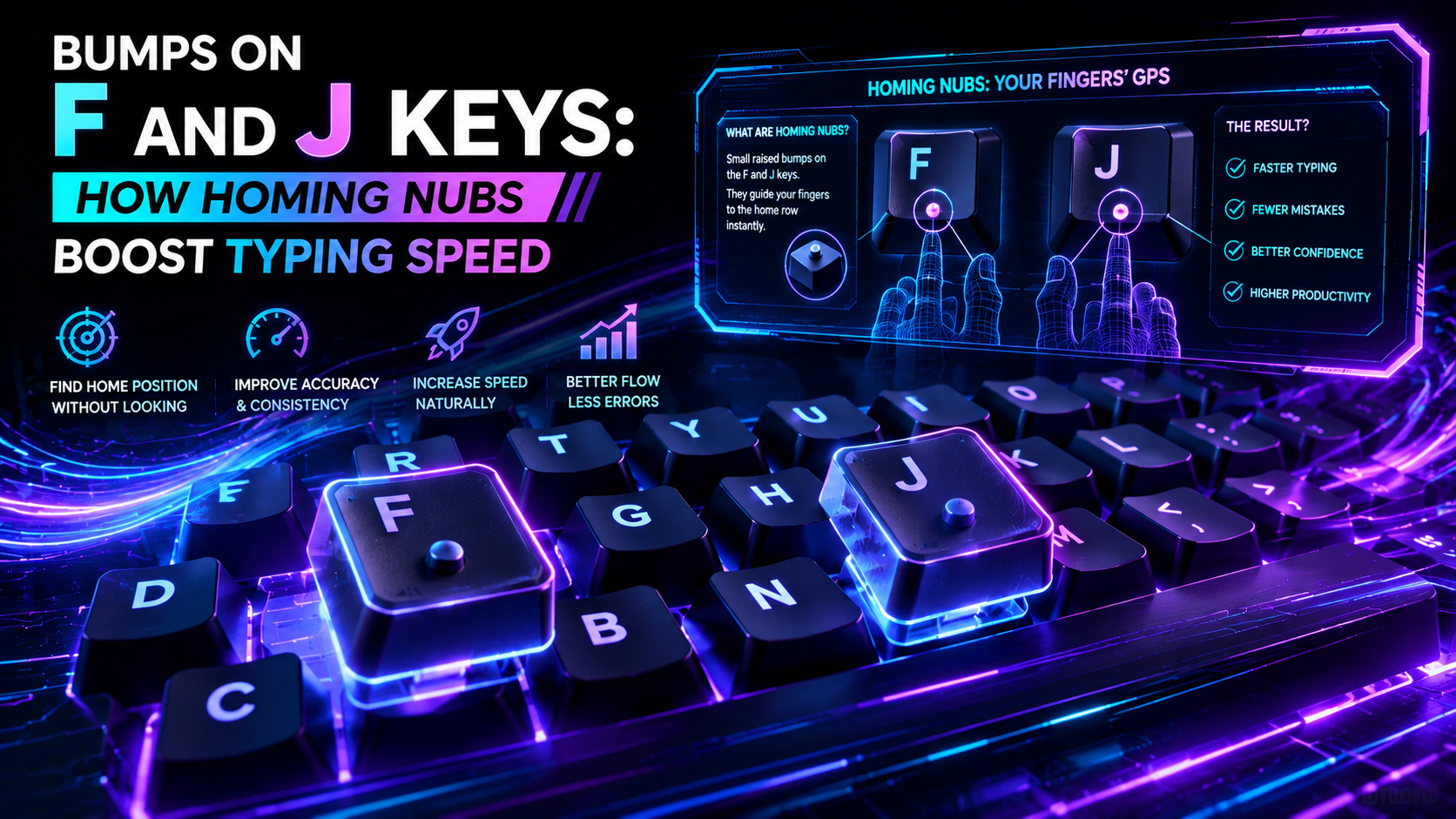
Run your index fingers across your keyboard. You will immediately feel a small raised ridge or dot on the F and J keycaps. These tiny physical protrusions are not decorative manufacturing artifacts. Understanding the engineering behind bumps on F and J keys reveals how physical haptics eliminate visual latency and keep your hands anchored at high typing speeds.
Touch typing is a blind spatial coordinate system. Your ten fingers must strike 47 distinct alphanumeric keys across five staggered rows without your eyes leaving the monitor. Without a physical reference point, your hands drift across columns. The tactile markers on F and J act as zero-latency hardware anchors, resetting your spatial map on every pass.
The Engineering History: From Deep-Dish Scoops to US Patent 6,367,998
Early mechanical typewriters and mainframe terminals lacked surface bumps. In 1985, IBM introduced the legendary Model M keyboard, which solved the home-row indexing problem using deep-dish keycaps. IBM molded the cylindrical scoops on F and J roughly 0.5mm deeper than surrounding keys. Typists felt the steeper spherical curvature under their finger pads without any raised plastic nub.
The modern raised bar emerged later. In 2002, inventor June E. Botich filed US Patent No. 6,367,998 titled Tactile reference for computer keyboard. Botich proposed molding distinct raised ridges directly onto the primary home-row position. International standard ISO/IEC 9995-1 later standardized tactile markers for alphanumeric keyboards and numeric keypads worldwide.
| Homing Marker Method Keycap Profile Compatibility Tactile Distinctiveness Engineering Tradeoffs & Failure Modes | |||
| Raised Dot / Nipple | OEM, Cherry, DSA, XDA | High (sharp point contact) | Can cause fingertip soreness during rapid sliding transitions |
| Horizontal Molded Bar | Cherry, OEM, Apple Chiclet | Very High (broad surface edge) | Pad-printed or cheap ABS plastic ridges wear smooth over 12–18 months |
| Deep-Dish / Scooped Keycap | SA, MT3, KAT, IBM Model M | Moderate (smooth spherical depth) | Harder to detect for beginners; requires specific tooling molds |
| Ball-Bearing Inset Mod | Custom Machined / PBT | Extreme (metallic cold contact) | Requires manual drilling; adds manufacturing cost and potential rattling |
If you want to measure whether your fingers slip off their home coordinates during rapid bursts, test your keystroke stability on the TypingPulse Speed Test.
The Neurobiology of Haptic Spatial Indexing
Why do tactile markers work so fast? The answer lies in the cellular biology of human fingertips. The glabrous skin on your index fingertips contains a dense concentration of mechanoreceptors known as Merkel cell-neurite complexes and Meissner corpuscles.
Merkel cells detect micro-spatial surface changes down to 10 micrometers. When your finger brushes across the ridge on the F key, the mechanical deflection fires an immediate action potential up your median nerve. That signal reaches your primary somatosensory cortex in roughly 15 milliseconds.
Contrast that with visual verification. If you must look down to confirm hand placement, your brain executes a saccadic eye movement. That visual shift takes 200 to 300 milliseconds, plus another 100 milliseconds to refocus on your code editor. Relying on tactile markers is twenty times faster than glancing down.
"Haptic anchors offload spatial positioning from the visual cortex to subconscious mechanoreceptor reflex arcs."
When you eliminate visual confirmation loops, your prefrontal cortex retains its full working memory buffer for logic, phrasing, and syntax.
The Cost of Columnar Drift: How Off-By-One Errors Ruin WPM
What happens when you use a keyboard without tactile homing keys? The primary failure mode is spatial columnar drift.
Because standard keyboards use an asymmetrical row stagger (a legacy design from mechanical typewriter linkages), your hands naturally drift outward during long sessions. Your left hand slips one column left to Caps Lock, A, S, D, while your right hand shifts right to K, L, ;, Enter.
Once drift occurs, every keystroke produces cascading errors. You attempt to type the word "install" and output ";mtsd;;" instead. On automated employment tests or strict speed benchmarks, a single uncorrected drift cascade drops accuracy below 90%, triggering immediate failure. Homing bumps provide a constant micro-anchor that stops drift before the first wrong stroke occurs.
Tactile Re-Centering Latency: Measuring the Post-Mouse Penalty
No knowledge worker types continuously without interruption. You regularly reach for your mouse, scroll through documentation, navigate with arrow keys, or sip coffee. Every time your dominant hand leaves the keyboard chassis, your spatial coordinate map resets to zero.
When you return your hand to the keyboard, your brain must execute a re-centering routine. Typists who rely on visual searching take between 450 and 700 milliseconds to guide their hand back to the home row. They look down, align their index finger, look back up at the screen, and locate their cursor.
In contrast, trained touch typists perform a blind sweep. The right index finger lands near the center cluster and glides across the keytops until the tactile bar on the J key registers against the fingertip. This blind haptic sweep takes less than 80 milliseconds. Over a full workday with 300 mouse-to-keyboard transitions, blind haptic re-centering saves over three minutes of pure cognitive dead time.
Mechanical Switch and Keycap Material Tradeoffs
Not all tactile markers perform equally. The durability of homing bumps depends heavily on keycap polymers and molding processes.
- ABS Keycap Degradation: Inexpensive keyboards use Acrylonitrile Butadiene Styrene (ABS) keycaps. ABS is a soft polymer prone to friction wear. After 12 to 18 months of heavy typing, finger oils and mechanical friction polish the homing nubs flat.
- PBT Double-Shot Resilience: Polybutylene Terephthalate (PBT) resists solvent wear and skin friction. Double-shot injection molding ensures the tactile bar remains physically distinct for years of continuous use.
- Profile Inconsistencies on Alternative Layouts: If you switch from QWERTY to Colemak or Dvorak, sculpted keycap sets (like Cherry or OEM profile) present a mechanical dilemma. Moving the physical F and J keycaps to the T and N positions changes row heights and tilt angles. You must buy dedicated Colemak homing keys or use uniform profiles like DSA or XDA.
💡 Pro Tip: If you built a custom keyboard with blank keycaps and keep losing home-row orientation, apply a tiny drop of UV-curable resin or clear epoxy onto the F, J, and Numpad 5 keycaps. Cure it under UV light to create a permanent DIY tactile nub.
Alternative Layouts and Ergonomic Board Configurations
As enthusiasts move to split ergonomic keyboards and ortholinear grid layouts, the role of homing markers changes. On standard row-staggered boards, fingers travel diagonally across columns. On ortholinear boards like the Planck or split column-staggered boards like the Corne, keys sit in straight vertical lines.
Ortholinear typists still depend on homing markers on the index positions. However, many advanced split-keyboard users also add tactile markers to their thumb clusters. Because thumb clusters handle space, backspace, enter, and layer-switching functions, having a tactile ridge on your primary thumb key prevents accidental layer toggles during rapid typing.
Testing Your Spatial Awareness and Switch Consistency
A damaged switch or bent stem can mimic the feeling of spatial drift. If a key requires 65 grams of force due to a binding stem while surrounding keys actuate at 45 grams, your fingers will hesitate and lose their spatial cadence. Inspect your switch actuation consistency using the Online Keyboard Tester to rule out hardware failures.
Once you verify your hardware, build strict muscle memory around home-row anchoring with structured exercises in Typing Academy Lessons. Spend ten minutes practicing blind repositioning drills inside the Interactive Typing Practice arena, lifting your hands completely off the board and relocating F and J purely by feel.
Frequently Asked Questions About Keyboard Bumps
Here are direct technical answers to common questions about homing keys, tactile markers, and keyboard ergonomics.
Frequently Asked Questions
Key answers regarding touch typing, benchmarks, and techniques
TypingPulse
Typing & Tech Specialist
Written by typing trainers and keyboard specialists dedicated to helping students and developers achieve touch typing mastery, ergonomic comfort, and competitive WPM speeds.