Most engineers guess their keyboard throughput. They assume they output 70 words per minute because their hands feel quick during brief Slack chats. In practice, subjective feeling is an unreliable metric. When you sit down to test your typing speed with rigorous diagnostic telemetry, the raw numbers tell a very different story.
Typing is an asynchronous input pipeline. Your eyes buffer incoming characters from the screen, your motor cortex calculates spatial finger trajectories, and physical key switches register electrical contact. A single micro-stutter on a weak pinky key stalls that entire pipeline. Running a diagnostic test is not about chasing vanity numbers. It provides the exact performance profile you need to eliminate hidden mechanical bottlenecks.
The Telemetry Behind a True Diagnostic Typing Test
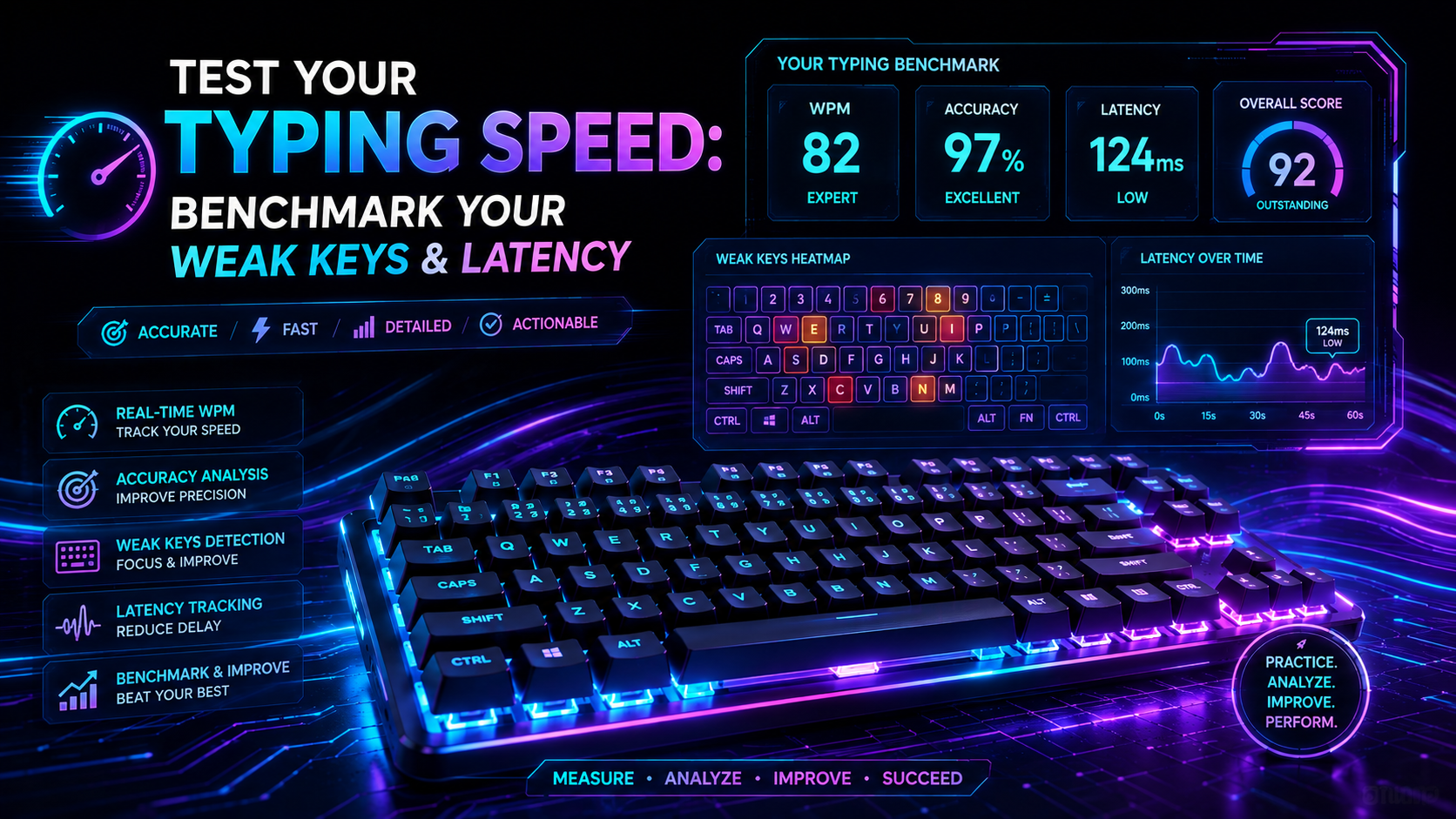
Basic speed tests output a single composite number. They show gross words per minute and leave you wondering why your progress has stalled. A robust engineering-grade benchmark captures five distinct telemetry streams during every session:
| Telemetry Metric What It Measures Target Value Diagnostic Failure Mode | |||
| Net WPM | Gross speed minus uncorrected error deductions | 65+ WPM | High Gross WPM collapsed by severe accuracy penalties |
| Accuracy Floor | Ratio of correct key strikes to total switch activations | 98.0% – 99.5% | Sub-95% accuracy causes fatal backspace latency loops |
| Inter-Key Latency (IKL) | Time delta between consecutive keydown events (ms) | 80ms – 140ms | Spikes above 300ms indicate finger travel hesitation |
| Consistency Index | Standard deviation of keystroke intervals | > 75% uniform | Erratic burst-and-stall rhythm draining hand stamina |
| Weak Finger Clusters | Specific n-gram error rates by finger assignment | < 2% error rate | Left pinky and ring finger dragging down overall speed |
To inspect your current telemetry profile across these five metrics, run a live 60-second assessment on the TypingPulse Speed Test. The real-time engine maps your exact keystroke delta distribution.
The Neuromuscular Latency Chain: From Eye to Switch
Keystroke execution relies on a tight biological feedback loop. Light from the screen hits your retina, requiring roughly 30 to 50 milliseconds of visual processing. Your brain parses the target word and dispatches motor signals down peripheral nerves to your intrinsic hand muscles. That nerve transmission takes another 20 to 40 milliseconds.
Physical mechanics take over once downward motion begins. Standard mechanical switches feature a 2.0mm pre-travel distance before reaching the copper leaf actuation point. At an average downward finger velocity of 0.15 meters per second, physical travel adds another 10 to 15 milliseconds of mechanical latency.
A deliberate keystroke consumes 120 to 200 milliseconds total. Skilled touch typists break through this biological barrier by pipelining movements. They initiate movement for the next two keys while the current key is still traveling downward. If your spatial finger memory contains gaps, that pipelining breaks down, forcing your motor cortex to reset its buffer on every third character.
Why 15-Second Tests Lie: The Benchmark Duration Tradeoff
Short 15-second sprint tests dominate social media leaderboards. While fun, they produce skewed data. During a 15-second test, your brain relies entirely on short-term working memory caching. You glance at a five-word cluster, load it into your motor buffer, and dump those strokes in a single rapid burst.
Real knowledge work does not happen in 15-second bursts. Long-form coding, technical documentation, and customer communications demand sustained input over hours. When you stretch your benchmark duration to 60 or 120 seconds, motor fatigue sets in. Your consistency index drops, switch bottom-out force becomes uneven, and hidden posture flaws surface.
"A 15-second test measures your buffer burst speed. A 60-second test measures your actual cognitive bandwidth and mechanical stamina."
Always balance your testing strategy. Use 15-second sprints to measure peak neuromuscular velocity. Rely on 60-second tests to evaluate your realistic day-to-day production speed.
The Tradeoffs of Dictionary Corpus Complexity
Another major bottleneck in benchmark testing is wordlist selection. Most simple typing apps test candidates on the standard English 200 corpus. This list contains only short, high-frequency words like the, and, have, that, and with.
Typing simple words yields artificially inflated scores. In contrast, real professional work contains technical terms, capital letters, digits, and programming symbols. Consider the tradeoffs between different corpus configurations:
- Standard English 200: High velocity, low cognitive strain. Fails to test punctuation keys, number row reach, or complex multi-syllable transitions.
- English 1k & 5k Corpora: Introduces irregular letter pairings, lateral finger reaches, and less common bigrams. Exposes weak pinky coordination.
- Code and Punctuation Sets: Integrates curly brackets, semicolons, backticks, and camelCase syntax. Drops raw speed by 20% to 35% while measuring true engineering productivity.
💡 Pro Tip: If your score drops by more than 25 WPM when switching from English 200 to English 1k, your finger mechanics rely on visual guessing rather than true home-row spatial awareness.
QWERTY Layout Asymmetry: The Structural Workload Imbalance
The standard QWERTY layout was designed in the 1870s for mechanical typewriters to prevent physical typebar collisions. It was never optimized for ergonomic balance or finger strength distribution. In standard English prose, the left hand handles roughly 57% of all keystrokes, while the right hand handles only 43%.
This structural imbalance creates uneven muscle fatigue during long typing sessions. In addition, the weakest digits on your hands—the left pinky and ring fingers—are assigned high-frequency keys including A, S, Q, Z, and the Left Shift modifier. When you run an in-depth diagnostic speed test, pay close attention to your left-hand error clusters. Most typists find that over 65% of their total mistakes occur on keys managed by the left ring and pinky fingers.
Isolating Hardware Latency from Human Error
Before blaming your fingers for missed strokes, check your hardware pipeline. Input lag is real. A cheap rubber-dome keyboard with a 125Hz polling rate introduces up to 8 milliseconds of scan delay. Membrane switches also suffer from inconsistent rubber cup degradation, requiring variable actuation force across different keys.
Modern mechanical and Hall Effect magnetic switches operate at 1,000Hz to 8,000Hz polling rates. Hall Effect switches use electromagnetic sensors to detect analog stem travel, allowing adjustable actuation points down to 0.1mm. This eliminates mechanical contact bounce delay completely.
However, ultra-sensitive hardware introduces its own failure mode: accidental key presses. Resting your fingers heavily on 35g linear switches causes phantom actuations that ruin your accuracy score. Verify your switch calibration and eliminate key chatter using our Online Keyboard Tester before taking your benchmark exam.
The 4-Step Optimization Loop Based on Test Telemetry
Testing your speed without an action plan is useless data collection. Use this closed-loop engineering framework to systematically eliminate weaknesses identified in your diagnostic report:
- Run a Baseline Benchmark: Execute three consecutive 60-second tests on the TypingPulse Speed Test. Calculate your average Net WPM and note your error spikes.
- Extract Your Weakest N-Grams: Look at your post-test error matrix. Are you hesitating on left-hand bigrams like wa, ex, and za? Are you missing the right shift key when typing uppercase letters on the left side of the board?
- Target Problem Keys with Isolated Drills: Do not just re-type the entire alphabet. Load specific problem key sets inside Interactive Typing Practice to force rapid repetition on your weakest transitions.
- Re-calibrate Core Finger Positions: If you find your index fingers crossing over to hit central keys like B, Y, or 6, return to the fundamentals. Rebuild your motor map with structured lessons in the Typing Academy Lessons.
Why You Must Test Your Typing Speed Today
You cannot optimize what you do not measure. A single sixty-second assessment gives you a clear snapshot of your current throughput, mechanical bottlenecks, and error distribution. It costs zero dollars, takes one minute, and provides immediate telemetry you can use to refine your daily workflow.
Stop guessing your performance. Take sixty seconds right now, establish your verified baseline, and find out exactly where your strengths and weaknesses lie.
Frequently Asked Questions About Typing Tests
Here are direct answers to common questions engineers and professionals ask regarding typing test telemetry and benchmark validity.
Frequently Asked Questions
Key answers regarding touch typing, benchmarks, and techniques
TypingPulse
Typing & Tech Specialist
Written by typing trainers and keyboard specialists dedicated to helping students and developers achieve touch typing mastery, ergonomic comfort, and competitive WPM speeds.