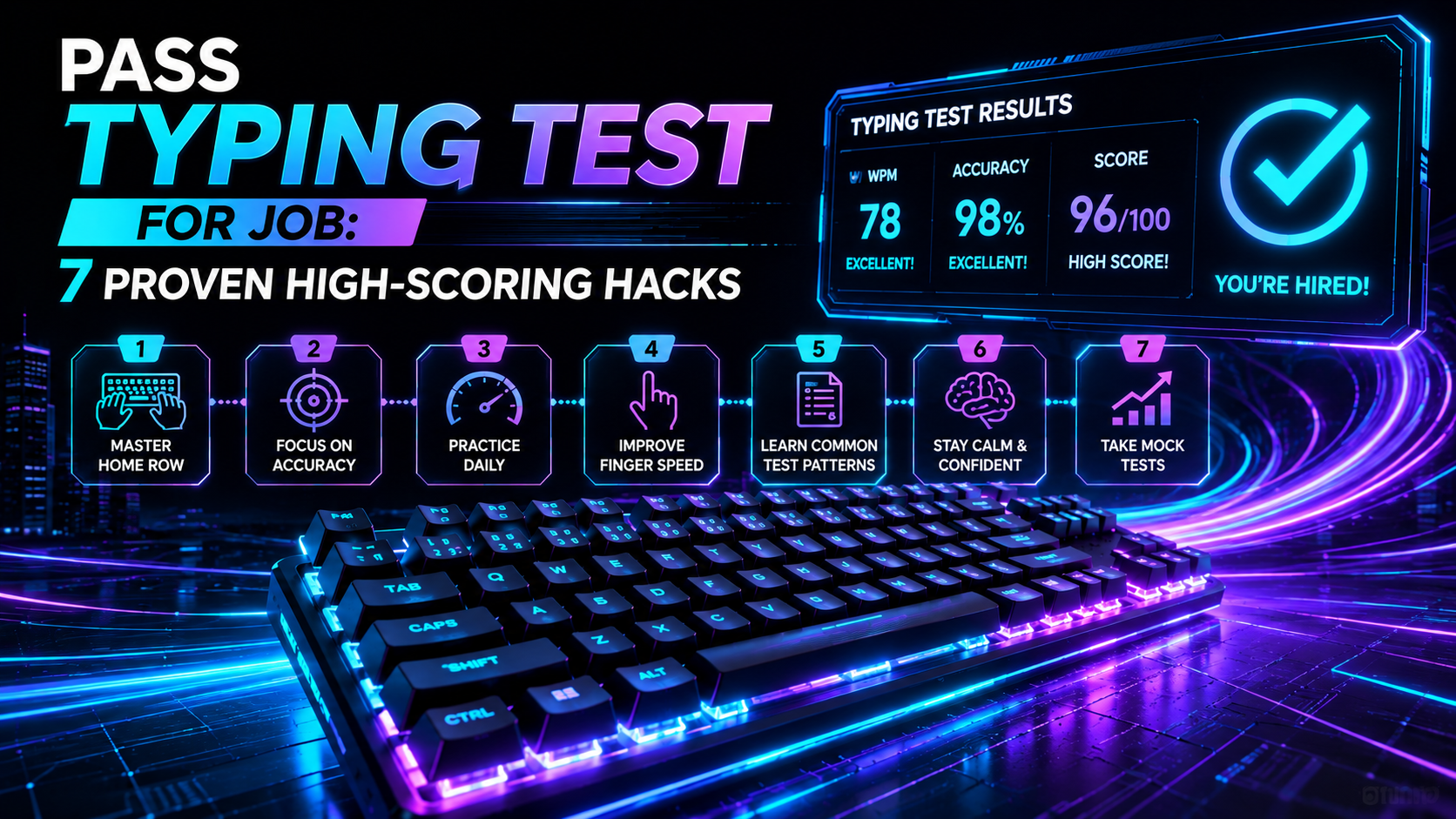
Pre-employment assessments can feel nerve-wracking. You prepared your resume, rehearsed interview answers, and dressed professionally. Yet your application now hinges on a strict three-to-five-minute keyboard assessment. Knowing how to pass typing test for job evaluations requires more than just moving your fingers quickly. It demands tactical test awareness, strict error control, and physical readiness.
Recruiters in healthcare, legal services, government administration, logistics, and tech use automated typing screens to filter out candidates fast. When hundreds of applicants apply for a single role, an algorithm automatically rejects any submission below the cutoff threshold. Fortunately, passing does not require typing like a competitive speed champion. By applying seven actionable hacks, you can optimize your Net WPM, protect your accuracy, and secure your qualifying score on the first attempt.
Industry Typing Standards: Know Your Target Score
Before diving into the tactics, you must understand the exact benchmark required for your target role. Employers do not evaluate speed in isolation; they evaluate reliability under time pressure.
| Career Field / Job RoleMinimum Net WPMTarget Accuracy RateCommon Assessment Software | |||
| General Administrative Assistant | 40 – 45 WPM | 95% | eSkill, TypingTest Pro, Kenexa Prove It |
| Customer Support & Live Chat Agent | 45 – 55 WPM | 96% | Criteria Corp, TestGorilla, SHL |
| Data Entry & Warehouse Clerk | 50 – 60 WPM | 98% + 10-Key Pad | IBM Kenexa, Total Testing |
| Emergency Dispatcher (911 / Police) | 45 – 55 WPM | 98% (Audio/Split Screen) | CritiCall Examination System |
| Medical Transcriptionist / Scribe | 65 – 75 WPM | 98% | HealthStream, Custom Audio Tests |
| Legal Assistant / Paralegal | 65 – 80 WPM | 98% | Kenexa Legal, Measured Typing |
| Court Reporter / Stenographer | 180 – 225 WPM (Steno) | 97.5% | NCRA National Certification Exam |
Before testing with your prospective employer, take a free baseline assessment on the TypingPulse Speed Test to see where your speed lands against these benchmarks.
Hack 1: Decode the Net WPM Formula (Accuracy Over Speed)
The single biggest reason candidates fail employment exams is chasing raw speed while sacrificing accuracy. Almost every corporate screening system measures Net WPM rather than Gross WPM.
The standard industry formula works like this:
Net WPM = Gross WPM - (Uncorrected Errors / Test Duration in Minutes)
Suppose you type at 60 Gross WPM during a three-minute test but make 9 uncorrected errors. Your penalty is 9 divided by 3, which equals 3 WPM off your score. You finish with 57 Net WPM. However, many employer platforms use an aggressive single-error deduction model where every single typo subtracts one full word per minute. Under that strict scoring model, 9 errors drop a 60 WPM speed down to 51 WPM. Worse yet, if the employer has a mandatory 96% accuracy floor, an accuracy of 93% triggers an automatic fail regardless of your speed.
Treat accuracy as your shield. Typing at 50 WPM with 99% accuracy will pass almost every general corporate screening. Typing at 75 WPM with 88% accuracy will fail almost every single one.
Hack 2: Master the 2-Word Visual Buffer (Eye-Voice Span)
Amateur typists look at the exact letter their fingers are pressing. This habit creates a stop-and-go cadence because your brain must read a letter, dispatch a motor command, wait for confirmation, and read the next letter.
Skilled typists use a reading technique known as the eye-voice span. Instead of looking at the active cursor, keep your eyes focused one or two words ahead of your fingers. While your fingers type the word "applicant", your eyes are already parsing the next words "must submit".
This forward buffer gives your brain time to prepare the next motor sequences subconscious. It eliminates mid-sentence hesitation and creates a smooth, rhythmic typing velocity that naturally boosts your score by 8 to 15 WPM.
Hack 3: The Selective Backspace Rule
When you spot a mistake on an employment test, your instinct is to hammer the backspace key. Doing so blindly can ruin your entire session.
Adopt the One-Word Backspace Rule:
- Fix it immediately if: You catch the mistake on the current character or inside the active word. Tap backspace once or twice, fix the typo, and resume.
- Skip it and keep moving if: You have already pressed space and typed two or three characters into the next word. Backspacing through multiple words wastes four to six seconds, shatters your forward reading buffer, and induces panic.
💡 Pro Tip: Check whether the test interface allows backspacing at all before you begin. Platforms like CritiCall disable the backspace key entirely on specific sections. If backspace is disabled, ignore mistakes completely and focus on typing the remaining text cleanly.
Hack 4: Audit Your Hardware and Eliminate Key Chatter
If you take your pre-employment test remotely on your own computer, your keyboard setup plays a massive role in your final score. A sticky switch, a wobbling keycap, or a failing USB connection can introduce unwanted duplicate letters or missed inputs.
Before launching the proctored test environment, test every single key on your keyboard using the Online Keyboard Tester. Verify that spacebars, shift keys, enter keys, and common punctuation marks register cleanly with zero key chatter.
If you use a laptop with a shallow chiclet keyboard, place the laptop on a stable desk rather than your lap. If you use a mechanical keyboard, choose switches with reliable tactile feedback and medium actuation force (around 45g to 50g) to prevent accidental key presses from resting fingers.
Hack 5: Set Your Physical Ergonomic Anchor
Physical tension destroys motor precision. When candidates feel anxious, their shoulders rise toward their ears, their elbows flare outward, and their wrists plant heavily against desk edges. This posture pinches the median nerve in the wrist and restricts finger dexterity.
Set up an ergonomic anchor two minutes before logging in:
- Float your wrists: Keep your wrists straight and hovering slightly above the keyboard. Do not bend your wrists upward or rest them on hard table surfaces while actively typing.
- Maintain a 90-degree elbow angle: Adjust your desk chair so your elbows form a right angle and your forearms rest parallel to the floor.
- Plant your feet flat: Keep both feet flat on the floor to stabilize your core and prevent fidgeting during the timed countdown.
- Align eye height with the top third of your monitor: Position your screen so you look straight ahead rather than craning your neck downward.
Hack 6: Run a 5-Minute Pre-Test Warmup Routine
Never take an employment typing exam cold. Just as runners stretch before a sprint, your fingers need a light warmup to activate blood flow and calibrate muscle memory.
Spend five to ten minutes completing targeted drills before starting the official assessment:
- Punctuation and Capitalization Drills: Employment tests frequently include proper nouns, dates, dollar amounts, and commas. Practice shift-key coordination on Typing Academy Lessons to ensure smooth transition between letters and symbols.
- High-Frequency Word Sprints: Spend three minutes in the Interactive Typing Practice arena typing top 200 English words (such as which, their, would, about, there).
- Finger Stretches: Spread your fingers wide for five seconds, form a gentle fist, and roll your wrists in small circles to release forearm stiffness.
Hack 7: Neutralize Test Anxiety with Tactical Box Breathing
The ticking timer in the corner of the test screen is a psychological trap. Watching seconds count down spikes cortisol and adrenaline, causing shallow breathing, increased heart rate, and finger tremors.
To keep your nervous system steady, use Box Breathing right before you hit the start button:
- Inhale slowly through your nose for 4 seconds.
- Hold your breath for 4 seconds.
- Exhale smoothly through your mouth for 4 seconds.
- Hold empty for 4 seconds.
Repeat this cycle three times. This activates your parasympathetic nervous system, slowing your pulse and restoring fine motor control. Once the test starts, intentionally ignore the digital countdown clock. Focus entirely on the text buffer directly in front of you.
Summary Checklist: How to Pass Typing Test for Job Screenings
When the pressure is on, keep this quick checklist in mind:
- Prioritize 98%+ accuracy over aggressive speed.
- Read one to two words ahead of your active cursor.
- Never backspace across multiple completed words.
- Confirm your keyboard hardware works flawlessly before starting.
- Maintain neutral, floating wrists and relaxed shoulders.
- Warm up on structured drills for five minutes prior to the exam.
- Breathe deeply and ignore the countdown timer.
Frequently Asked Questions About Employment Typing Tests
Below are clear, direct answers to common questions about preparing for and passing job-related typing assessments.
Frequently Asked Questions
Key answers regarding touch typing, benchmarks, and techniques
TypingPulse
Typing & Tech Specialist
Written by typing trainers and keyboard specialists dedicated to helping students and developers achieve touch typing mastery, ergonomic comfort, and competitive WPM speeds.